How to Create an Automated Agent in Claude for a Repeatable Task
When you run your own practice, finding the next opportunity is part of the job. It's also the part that's easiest to let slide when you're busy doing the work. Every few days I was checking a dozen public and private sector sites, scrolling past listings I'd already seen, and trying to remember which ones I'd already ruled out. It ate an hour and felt like nothing got done.
So I ran an experiment. Could I hand the whole routine to Claude, have it run on its own, and only show me what's new and worth my time?
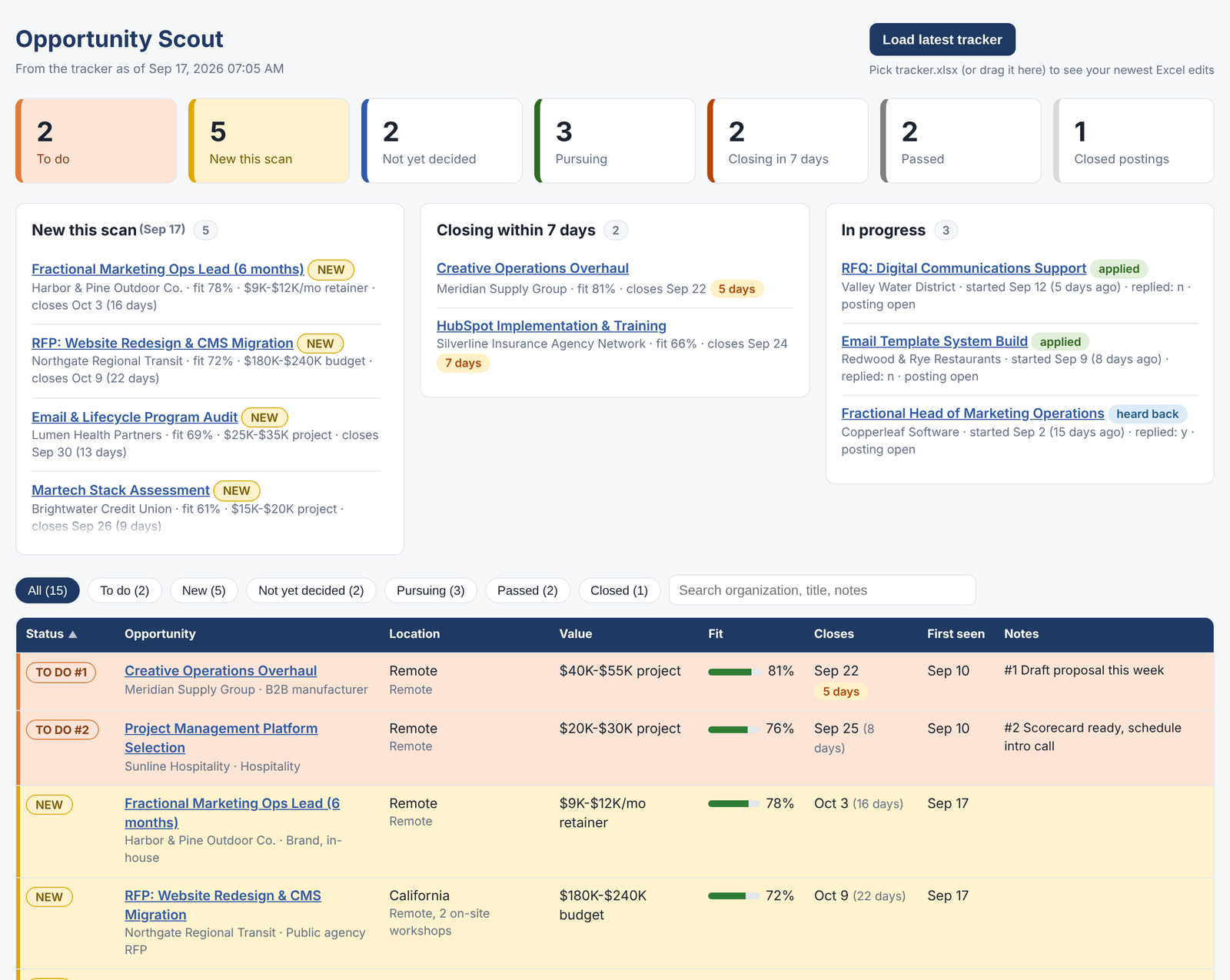
It worked. Two "scouts" now run every Monday and Thursday morning, scoring every new opportunity against my criteria and leaving me a short digest. Here's how to build one for any repeatable task.
For the record, I'm on a paid Claude Pro plan and built this in Claude Cowork, which is also where the scheduled runs live.
The steps
- Pick a task you do the same way every time. If you can describe it in a paragraph and you do it at least weekly, it's a candidate.
- Write the brief like you're onboarding a new hire. Where to look, what counts as a match, and what doesn't. Mine spells out minimum rates, location and remote rules, the kinds of work I want more of, and a short list of organizations to skip.
- Ask for judgment, not just results. Every item in my digest comes with a fit score, one line on why it fits and one on the biggest gap. That's what turns a list into a decision.
- Give it a memory. The agent keeps a tracker in a folder on my computer. The first run was a full baseline. Every run after that reports only what's new, with when it was posted.
- Run it by hand first. Read the output, tighten the brief, run it again. Only schedule it once you'd trust the result without checking.
- Put it on a schedule. Claude's scheduled tasks run it Monday and Thursday mornings, and the digest is waiting when I sit down.
- Write the house rules down. A short conventions file sits in the folder, and Claude reads it before doing any work there. Which columns are mine and which are the agent's, how to save files, what never to touch.
Lab findings
Some sites don't want to be read by a bot. A few major sites block automated access. The fix isn't to fight it. It's to have the agent report what worked and what failed on every run, so I know where my blind spots are.
Your computer has to be there. The very first scheduled run couldn't reach the tracker because the folder wasn't connected. An agent that works with local files needs the machine on and the folder available. Mine is always on, so this was a one-time lesson.
Keep your columns yours. The agent adds and updates entries, but status, notes and dates belong to me. Without that line, an automated run can quietly overwrite your decisions.
Save the evidence. Listings disappear the day they close, usually right when you need them most. Now the agent saves the full description of anything I act on.
Other ways to use this framework
Same steps, different brief:
- Job search. Point it at the job boards and company career pages you care about, and get a scored digest of new roles that fit. It can stand in for LinkedIn Premium or other paid job search tools, and it only shows you what's new.
- Competitor watch. A weekly digest of competitors' new campaigns, site changes, pricing and job postings, since hiring often tells you their strategy before they do.
- Brand and press mentions. New coverage, reviews and social posts about a brand, each with a one-line "does this need a response?"
- Campaign health check. Pull key metrics every Monday and report only what moved enough to matter.
- Industry briefing. One short, filtered digest for an exec team instead of a dozen newsletters.
- Vendor and contract tracking. Renewal dates, price changes and new features across the tools a team is paying for.
What I'd tell you
Start small and boring. The best first agent isn't impressive, it's the chore you'd happily never do again. Once it's running, you'll start seeing candidates everywhere.
If this was helpful, there's a lot more where it came from. I've used the same approach to build a tool that drafts statements of work and a program management system I'm running my own practice on, and more experiments are on the way here in Lab Notes. And if you'd rather have someone build one with you, reach out.